 ora.
Move a day, or the whole plan.
Reschedule one day of a multi-day event or move its entire period while keeping the duration. Day-specific deletion and Undo provide the same level of control.
05 / ORA CALENDAR
A calm place for plans, events and tasks, with local desktop and Android calendars, optional account sync and a browser companion.
01 /THE IDEA
ORA brings month, week, day and agenda views into a focused planning space. Events can hold date ranges, times, categories, locations and notes, so the details stay with the plan.
The Windows and Android apps keep a local calendar and can connect to the same account as the web version. Offline edits are retained for synchronization, and concurrent edits can keep a conflict copy instead of silently discarding one version.
02 /WHAT IT DOES
Reschedule one day of a multi-day event or move its entire period while keeping the duration. Day-specific deletion and Undo provide the same level of control.
Connect the same account across Windows, Android and web. Native apps keep local changes while offline and synchronize when they reconnect.
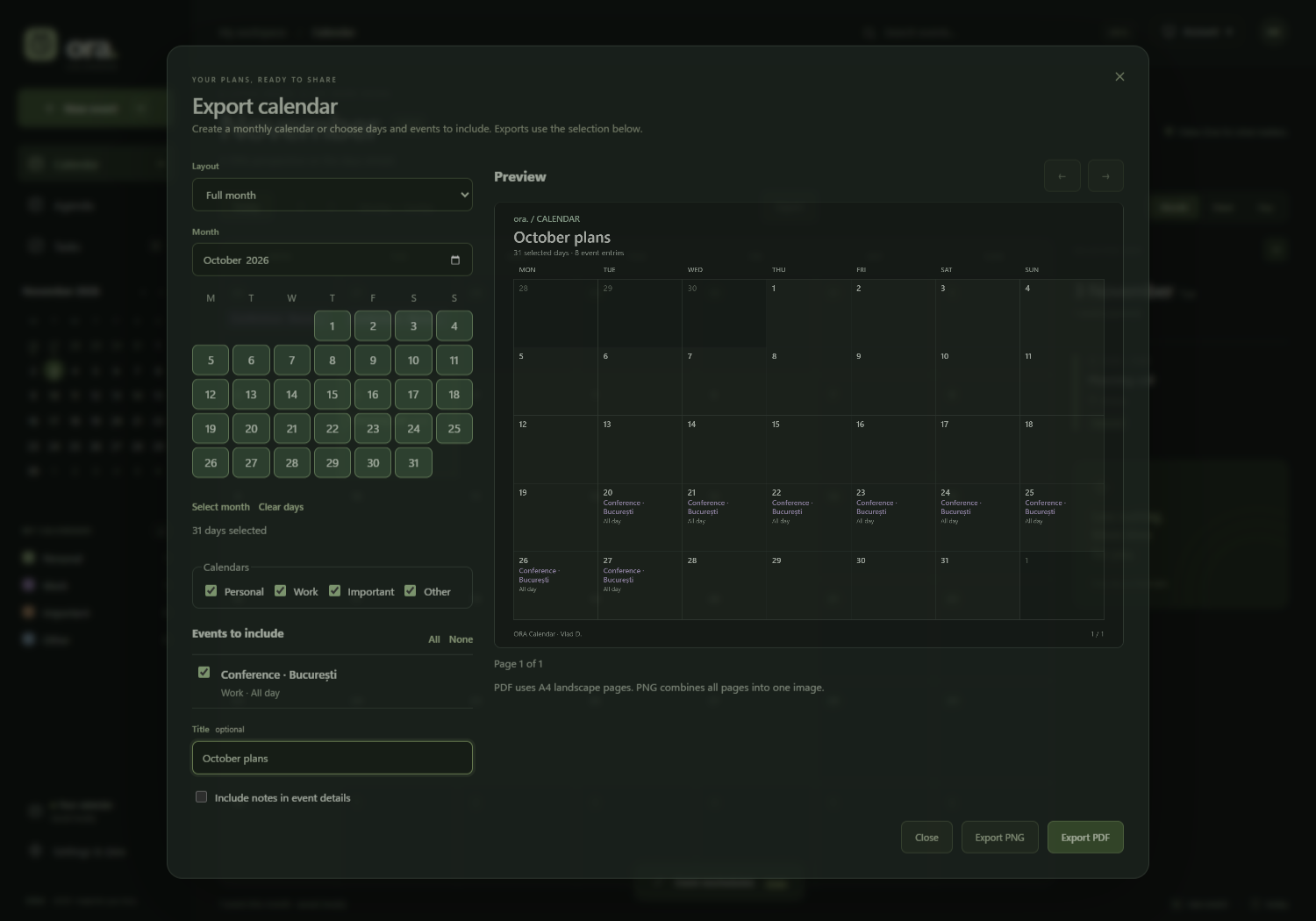
Export a month or selected days, choose calendars and events, add a title and optionally include notes. Preview locally before saving PNG or PDF.
While ORA runs in its window or tray, active plans and pending tasks can produce Windows reminders. Marking an item Done or rescheduling it updates those reminders after sync.
03 /ACROSS YOUR DEVICES
A local calendar, system-tray operation, optional startup with Windows, native reminders and account sync.
A touch interface bundled inside the app, local offline storage and account sync while the app is active. Android reminders are not included in this version.
The browser companion at NexaCloudHub, connected to the same account, with calendar views, editing and selected-plan exports.
04 /READY TO SHARE
BUILD /UNDER THE SURFACE
NOTES /A FEW THINGS TO KNOW
The Windows and Android apps can keep a local calendar without an account. Connecting an account enables shared data across devices; the web companion requires access to its server.
Notifications and the reminder beep are Windows features in this version. Android and web edits update the Windows reminder state after synchronization.
Yes. Select days, calendars and events in the export dialog, review the preview, then save PNG or PDF. PDF uses A4 landscape pages.
NEXT / KEEP EXPLORING